🚨 When You'll Face This Issue
From 1st November 2024, you may start facing this issue when developing React Native Expo apps for newer Android devices.
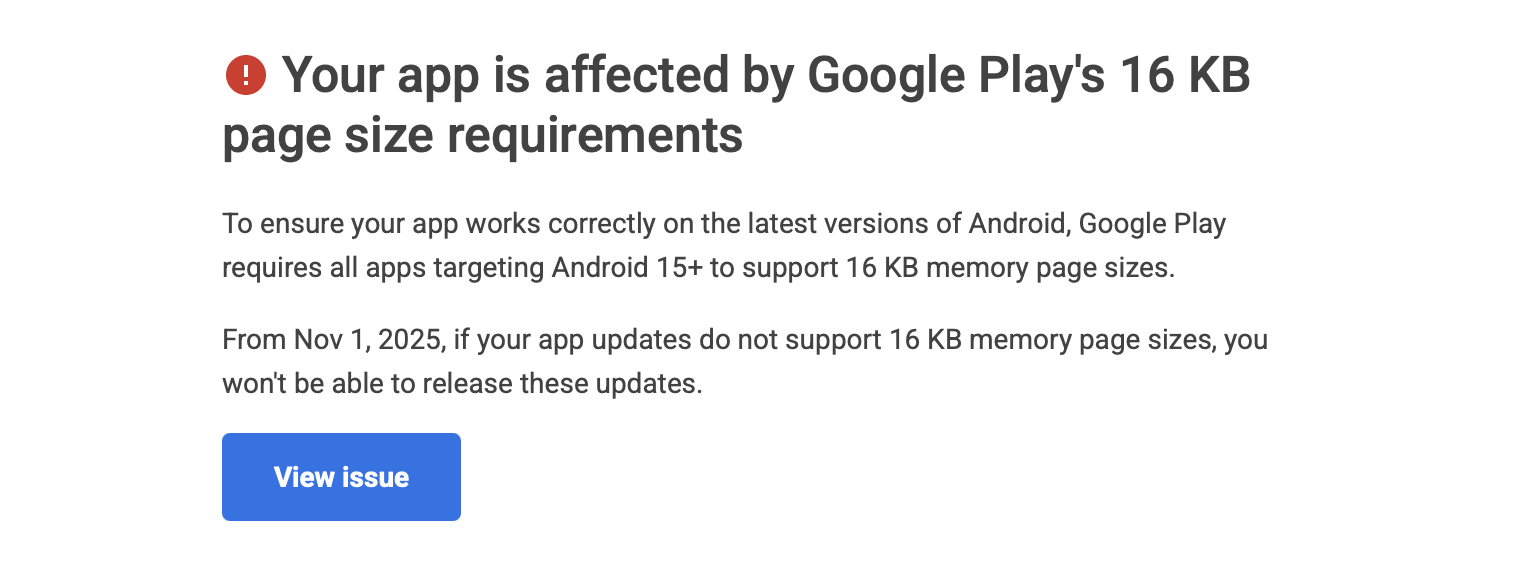
Or while uploading your build on Play Store, you may face this issue with errors like: • Build failures on Android 14/15 devices • App crashes on devices with 16KB page size • Upload rejections due to compatibility issues • Native library loading errors
Below is the step-by-step guide for this complete solution to resolve Android Studio & Expo 16KB page size issues.
In this guide, you'll learn how to: • Update Android Studio to the latest version • Diagnose and fix Expo dependency issues • Configure build properties for Android 14/15 compatibility • Rebuild your development environment from scratch
📋 Prerequisites
Before we start, make sure you have: • Android Studio installed on your system • Node.js and npm/yarn installed • An existing Expo React Native project • Terminal access
⚠️ Important: Always backup your project before making these changes!
🛠️ Step 1: Update Android Studio
First, we need to ensure you're running the latest stable version of Android Studio.
How to Update:
- Open Android Studio
- Go to Help → Check for Updates (or Android Studio → Check for Updates on macOS)
- Download and install the latest stable version
- Restart Android Studio after installation
Verify Installation:
• Check that you're running the latest version • Ensure all SDK components are updated • Verify Gradle wrapper is compatible
🔍 Step 2: Run Expo Doctor
Expo Doctor helps identify and resolve common configuration issues in your project.
1
npx expo-doctorWhat to Expect:
• If issues are found: Follow the suggested fixes carefully • If no issues: You can proceed to the next step • Common fixes: Update dependencies, fix configuration files, resolve version conflicts
Sample Output:
1
2
3
4
5
6
7
✅ Expo CLI is up to date
✅ Expo SDK is compatible
⚠️  Found 2 issues:
   • expo-build-properties is outdated
   • Android Gradle Plugin version mismatch

🔧 Run 'npx expo install --fix' to resolve dependency issues
🔄 Step 3: Auto-fix Expo Dependencies
This command automatically resolves version conflicts and updates packages to compatible versions.
1
npx expo install --fixWhat This Does:
• Updates incompatible packages to versions that work with your Expo SDK • Resolves version conflicts between dependencies • Installs missing peer dependencies • Updates package.json with correct versions
💡 Pro Tip: Run this command whenever you update your Expo SDK version!
⚙️ Step 4: Update app.json / app.config.js
This is the crucial step for fixing the 16KB page size issue on Android 14 and 15.
First, Install expo-build-properties:
Make sure the plugin is installed before configuring it:
1
npx expo install expo-build-propertiesAdd Configuration to app.json:
Add the following configuration under the plugins section in your app.json or app.config.js:
1
2
3
4
5
6
7
8
9
10
11
12
13
14
15
16
17
18
19
20
21
22
23
24
25
26
{
  "expo": {
    "plugins": [
      [
        "expo-build-properties",
        {
          "android": {
            "androidGradlePluginVersion": "8.3.2",
            "compileSdkVersion": 35,
            "targetSdkVersion": 35,
            "buildToolsVersion": "35.0.0",
            "ndkVersion": "27.1.12297006",
            "packagingOptions": {
              "jniLibs": {
                "useLegacyPackaging": false
              }
            }
          },
          "ios": {
            "useFrameworks": "static"
          }
        }
      ]
    ]
  }
}
Key Configuration Explained:
🤖 Android Configuration:
• androidGradlePluginVersion: Latest Gradle plugin version
• compileSdkVersion & targetSdkVersion: Target Android 14/15 (API 35)
• buildToolsVersion: Latest build tools
• ndkVersion: Specific NDK version for 16KB page size support
• useLegacyPackaging: false: Enables modern packaging
🍎 iOS Configuration:
• useFrameworks: "static": Ensures compatibility with static frameworks
⚡ 16KB Page Size Fix:
The ndkVersion and packagingOptions specifically address the 16KB page size limitation on newer Android devices.
Alternative app.config.js Format:
If you're using app.config.js, here's the same configuration:
1
2
3
4
5
6
7
8
9
10
11
12
13
14
15
16
17
18
19
20
21
22
23
24
25
26
27
export default {
  expo: {
    // ... your existing config
    plugins: [
      [
        'expo-build-properties',
        {
          android: {
            androidGradlePluginVersion: '8.3.2',
            compileSdkVersion: 35,
            targetSdkVersion: 35,
            buildToolsVersion: '35.0.0',
            ndkVersion: '27.1.12297006',
            packagingOptions: {
              jniLibs: {
                useLegacyPackaging: false,
              },
            },
          },
          ios: {
            useFrameworks: 'static',
          },
        },
      ],
    ],
  },
};
🔨 Step 5: Rebuild the Development Build
Finally, clean and rebuild your development environment to apply all changes.
1
npx expo prebuild --cleanWhat This Command Does:
• Cleans existing builds: Removes old Android/iOS build artifacts • Regenerates native code: Creates fresh Android and iOS projects • Applies new configurations: Uses your updated app.json/app.config.js settings • Resolves conflicts: Eliminates cached configuration issues
Expected Output:
1
2
3
4
5
6
7
✅ Cleared native folders
✅ Generated Android project
✅ Generated iOS project
✅ Applied expo-build-properties configuration
✅ Build completed successfully

💡 Your development build is ready!1
npx expo run:android2. Build for iOS (if on macOS):
1
npx expo run:ios3. Start Development Server:
1
npx expo start --dev-client⚠️ Troubleshooting Common Issues
Issue 1: Build Still Failing
Solution:
• Clear npm/yarn cache: npm cache clean --force
• Delete node_modules: rm -rf node_modules && npm install
• Clear Metro cache: npx expo start --clear
Issue 2: Gradle Sync Error
Solution: • Update Android Studio to the latest version • Sync Project with Gradle Files in Android Studio • Check internet connection for dependency downloads
Issue 3: 16KB Page Size Still Not Fixed
Solution:
• Verify NDK version is exactly 27.1.12297006
• Ensure useLegacyPackaging is set to false
• Clean and rebuild: npx expo prebuild --clean
✅ Important Notes
Before You Start:
• Backup your project before making changes • Test on a separate branch if using version control • Document your current configuration for rollback if needed
Version Compatibility:
• These configurations work with Expo SDK 50+ • Android Gradle Plugin 8.3.2 is stable and recommended • NDK 27.1.12297006 specifically addresses 16KB page size issues
Performance Tips:
• Run expo-doctor regularly to catch issues early
• Keep dependencies updated with expo install --fix
• Monitor build times after configuration changes
🎯 Summary
You've successfully: ✅ Updated Android Studio to the latest version ✅ Diagnosed issues with Expo Doctor ✅ Fixed dependency conflicts automatically ✅ Configured build properties for 16KB page size support ✅ Rebuilt your development environment
Your React Native Expo app should now build successfully on Android 14 and 15 devices without the 16KB page size limitation.
Next Steps: • Test your app on various Android devices • Monitor build performance • Keep your development environment updated • Document any custom configurations for your team
Need help with React Native or Expo development? Feel free to reach out! I regularly help developers solve build issues and optimize their development workflows.
Authored by Zeeshan Ali — Software Engineer specializing in React Native and mobile app development.